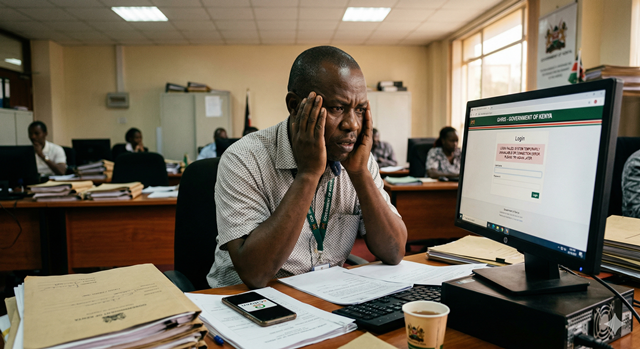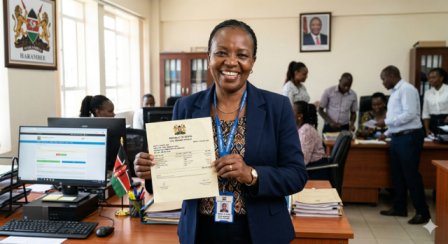
Gone are the days of waiting in long queues at your HR office just to get a copy of your payslip. The Government Human Resource Information System (GHRIS) lets every public servant in Kenya download their payslip in under two minutes — straight from a phone or computer.
Whether you are a civil servant in a ministry, a TSC teacher, a county employee, or a member of the uniformed services, this guide walks you through the entire process clearly and simply — no prior tech knowledge needed.
TABLE OF CONTENTS
1. What is GHRIS and Why Use It?
GHRIS — Government Human Resource Information System — is a centralized, web-based portal developed by the Government of Kenya to manage all HR functions for public service employees. It is managed under the State Department for Public Service.
Think of it as a digital HR office, available 24 hours a day. Through GHRIS, you can:
- View and download your monthly payslips
- Access your P9 Form for annual KRA tax filing
- Manage leave applications
- Update your personal and banking details
- Allow banks and SACCOs to verify your salary for loans
✅ GOOD TO KNOW
GHRIS payslips are legally recognized documents. Banks, mortgage companies, and SACCOs in Kenya accept GHRIS payslips as official proof of income — no stamp or HR signature required.
2. Who Can Download a GHRIS Payslip?
GHRIS is available to all employees paid through the Government of Kenya unified payroll system. This includes:
- 🏛️ Civil Servants — Staff in all Ministries and National Government State Departments
- 🗺️ County Employees — County executive and county assembly staff across all 47 counties
- 📚 TSC Teachers — All public school teachers under the Teachers Service Commission
- 👮 Uniformed Services — Kenya Police, Prisons, NYS, KDF, and other uniformed personnel
- 🏥 Health Workers — Public hospital nurses, doctors, and clinical officers on government payroll
- 🏖️ Pensioners — Retired civil servants managing pension through the portal
3. What You Need Before You Start
Before you log in to download your payslip, make sure you have the following ready:
📋 REQUIREMENTS CHECKLIST
✔ Your Unified Payroll Number (UPN) — provided by your employer at onboarding
✔ A registered GHRIS account — if you haven't registered yet, see the note below
✔ Your password — set during first-time registration
✔ A device with internet access — phone, tablet, or computer all work
✔ A PDF viewer or browser — to open and save the payslip file
⚠️ FIRST TIME ON GHRIS?
If you have never logged into GHRIS before, you need to register first. Visit ghris.go.ke, click "New User Registration", and enter your UPN and personal details. Your UPN is on your appointment letter or available from your HR office.
4. Step-by-Step: How to Download Your GHRIS Payslip
Follow these steps carefully. The whole process takes less than two minutes once you are logged in.
Step 1 — Open the Official GHRIS Portal
Open your web browser (Chrome, Firefox, or Safari) and go to the official GHRIS website. Always use the official government URL — never trust links sent via WhatsApp or SMS.
🔗 Official portal: www.ghris.go.ke
Step 2 — Click "Employee Self Service" and Log In
On the GHRIS homepage, you will see a login section. Look for the "Employee Self Service (ESS)" option or simply enter your credentials in the login form on the main page.
Enter your UPN as your username and the password you created during registration, then click "Login".
Step 3 — Navigate to "Payslip"
Once logged in, you will land on your employee dashboard. Look at the left-hand menu or the top navigation bar and click on:
My Records → Payslip
Or look for a menu item simply labeled "Payslip" or "Pay Advice". The exact label may vary slightly depending on your account type.
Step 4 — Select the Month and Year
A dropdown or list will appear showing your available payslips by month and year. Select the payslip for the month you want — for example, May 2025.
If you need payslips for multiple months, you will repeat this step for each one individually.
Step 5 — View and Download Your Payslip
Click "View Payslip" or "Download". Your payslip will open as a PDF document in your browser or be downloaded automatically to your device.
To save it permanently:
- 📱 On Phone: Tap the share/download icon and save to your files or Google Drive.
- 💻 On Computer: Press Ctrl + S (Windows) or Cmd + S (Mac) to save the PDF, or click the download icon in the PDF viewer.
💡 PRO TIP
Rename the file with the month and year before saving — e.g., "GHRIS_Payslip_May2025.pdf" — so you can find it easily later.
Step 6 — Log Out When Done
Always click "Logout" when you are finished — especially if you are using a shared or public device. Your GHRIS account contains sensitive financial information.
5. Common Problems & Fixes
If something goes wrong, don't panic. Here are the most common GHRIS issues and how to fix them quickly:
| Problem | Likely Cause | Fix |
|---|---|---|
| Cannot log in / wrong password | Forgotten password or account locked | Click "Forgot Password" on the login page and reset via your registered email or phone |
| Payslip not showing for this month | Payroll not yet processed | Government payslips are typically uploaded mid-month. Check again after the 15th |
| Page not loading / system error | Server congestion (common on paydays) | Try again early morning (before 8am) or late evening. Avoid logging in on the 25th–27th when traffic peaks |
| PDF will not open | No PDF reader installed | Download Adobe Acrobat Reader (free) or open directly in Chrome browser |
| Payslip figures look wrong | Payroll adjustment or deduction error | Contact your HR office or the GHRIS helpdesk: 020 2252299 |
| Account not found | Not yet registered or wrong UPN | Confirm your UPN with your HR department, then register at ghris.go.ke |
6. How to Download Previous Months' Payslips
GHRIS stores your payslips going back several months. The process is the same as above — just select an earlier month from the dropdown on the Payslip page.
📁 HOW FAR BACK CAN YOU GO?
GHRIS typically shows payslips for at least 12 months in your history. For older payslips beyond what the system shows, contact your HR department directly — they can access historical records.
This is especially useful when applying for a mortgage or bank loan, where lenders often ask for 3 or 6 months of payslips as proof of income.
7. Frequently Asked Questions
Is GHRIS free to use?
Yes, GHRIS is completely free for all government employees. There are no subscription fees, registration fees, or charges for downloading payslips. Be wary of any third-party websites or agents who charge you to access your payslip — always use the official portal at ghris.go.ke.
Can I access GHRIS on my phone?
Yes. GHRIS works on mobile phones through a web browser like Chrome or Safari. Simply visit ghris.go.ke on your phone's browser. There is no official dedicated GHRIS app on the Google Play Store or Apple App Store as of 2025, so always use the browser version.
What is a UPN and where do I get it?
A UPN (Unified Payroll Number) is a unique identification number assigned to every government employee. It is found on your appointment letter, your previous paper payslips, or you can request it from your HR department. It is the same number used across all government HR systems.
Can I share my GHRIS payslip with a bank?
Yes. The PDF payslip downloaded from GHRIS is an official government document accepted by all Kenyan commercial banks, SACCOs, and mortgage companies as proof of income. You can share it directly or print it out. Additionally, some financial institutions may ask to verify your salary directly through the GHRIS third-party access feature.
My payslip shows incorrect deductions — what do I do?
If your payslip has errors — such as incorrect salary figures, wrong deductions, or missing allowances — do not ignore it. First, take a screenshot or download the payslip for your records, then report the discrepancy to your HR office in writing. You can also contact the GHRIS helpdesk at 020 2252299 or email hrmis@publicservice.go.ke for escalation.
I am a TSC teacher. Can I also use GHRIS?
Yes. TSC teachers are registered on GHRIS and can access their payslips just like other public servants. However, TSC also has its own separate portal (TSC Online) for teacher-specific functions like transfers and leave. For payslips, GHRIS is the correct platform to use.
What should I do if I forget my GHRIS password?
On the GHRIS login page, click the "Forgot Password" link. You will be prompted to enter your registered email address or phone number, and a reset link or code will be sent to you. If you no longer have access to your registered contact details, you will need to visit your HR office to have your account reset manually.
This guide is for informational purposes. Always access GHRIS through the official portal at www.ghris.go.ke. For account-specific issues, contact your HR department or the GHRIS helpdesk on 020 2252299.