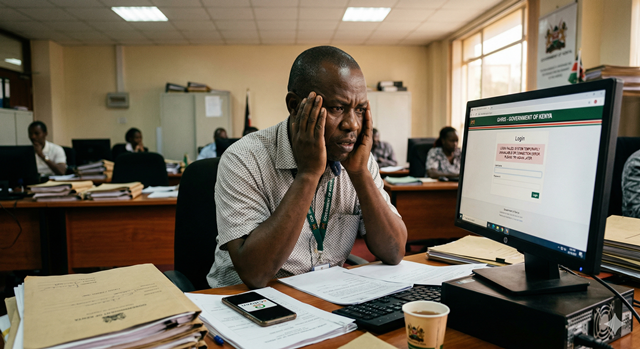
Every year, thousands of Kenyans miss out on government job opportunities — not because they were unqualified, but because they did not know where to look or how to apply. If you are a fresh graduate, a job seeker, or someone looking to transition into public service, there is one platform you need to know about before any other: GHRIS.
Most people only know GHRIS as the portal where government employees download payslips. What they do not know is that GHRIS also powers the official recruitment portal for Kenya's public service — where government vacancies are advertised, applications are submitted, shortlisting is done, and appointment letters are issued. All in one place. All online. All free.
This guide covers everything a job seeker needs to know — from creating your profile and uploading documents, to tracking your application and avoiding the mistakes that get candidates disqualified before they are even interviewed.
KENYA PUBLIC SERVICE — BY THE NUMBERS
| 800,000+Government employees in Kenya | 47Counties with vacancies year-round | FreeZero cost to apply | OnlineApply from your phone |
TABLE OF CONTENTS
- GHRIS as a Recruitment Portal — What You Need to Know
- Who Can Apply for Government Jobs Through GHRIS?
- Types of Government Jobs Advertised on GHRIS
- What You Need Before You Create Your Profile
- Step-by-Step: How to Create a Job Seeker Profile on GHRIS
- How to Upload Your Documents Correctly
- How to Find and Browse Government Job Vacancies
- Step-by-Step: How to Apply for a Job on GHRIS
- How to Track Your Application Status
- What Happens After Shortlisting — Interviews and Beyond
- Common Mistakes That Get Applications Rejected
- Other Official Portals for Government Jobs in Kenya
- Frequently Asked Questions
1. GHRIS as a Recruitment Portal — What You Need to Know
GHRIS — the Government Human Resource Information System — was developed by Kenya's State Department for Public Service as a centralised platform to manage the entire human resource lifecycle for public servants. That lifecycle begins before employment — at the point of recruitment.
The recruitment module of GHRIS serves as the official channel for:
- 📢 Advertising vacancies — ministries, state departments, and agencies post open positions here
- 📝 Receiving applications — candidates apply, upload documents, and submit their details online
- ✅ Shortlisting — HR panels review applications and filter eligible candidates
- 📧 Communicating with candidates — interview invitations and outcome notifications are issued through the platform
- 📋 Managing appointments — selected candidates receive formal offer letters and begin onboarding
✅ GHRIS RECRUITMENT IS FREE — ALWAYS
Applying for government jobs through GHRIS costs absolutely nothing. There are no registration fees, application fees, or processing charges. If any website, agent, or individual asks you to pay to apply for a government job on GHRIS — or promises to "process" your application for a fee — it is a scam. Report it to the Directorate of Criminal Investigations (DCI).
⚠️ IMPORTANT DISTINCTION
Not all government jobs in Kenya are advertised on GHRIS. Jobs under the Teachers Service Commission (TSC), the National Police Service Commission (NPSC), the Judicial Service Commission (JSC), and County Governments are often recruited through their own dedicated portals. We cover these alternatives in Section 12. GHRIS primarily covers positions under Ministries, State Departments, and State Corporations within the national government.
2. Who Can Apply for Government Jobs Through GHRIS?
The GHRIS recruitment module is open to any Kenyan citizen who meets the qualifications for the advertised vacancy. There are no restrictions based on age (within the statutory limits), county of origin, or current employment status — whether you are a fresh graduate, currently employed in the private sector, or returning to the workforce.
Basic Eligibility Requirements for All Applicants
- 🇰🇪 Kenyan citizenship — confirmed by a valid national ID or passport
- 🎓 Academic qualifications meeting or exceeding the stated minimum for the role
- 📋 Professional qualifications where required — e.g. nursing licence, teaching certificate, engineering registration
- 🔢 A KRA PIN — required at the profile creation stage
- 📄 A valid ID — national ID card or valid Kenyan passport
💡 FRESH GRADUATES — YOU CAN APPLY
If you have recently graduated and do not yet have work experience, you can still apply for entry-level government positions that specify no experience required or list a government internship programme as the target. Look out for Job Groups B–D (clerical, operational) and Job Group E–F (junior professional) positions as starting points.
Your academic transcripts, certificate, and national ID are sufficient to get started. You will build your GHRIS profile around your qualifications rather than work experience.
3. Types of Government Jobs Advertised on GHRIS
Kenya's public service covers a remarkably wide range of professions and job categories. Understanding the structure helps you navigate vacancy listings more efficiently.
| Job Category | Examples of Roles | Typical Job Group |
|---|---|---|
| Administration & Management | Administrative Officers, Records Officers, Supply Chain Officers, Human Resource Officers | Job Group F – P |
| Finance & Accounting | Accountants, Auditors, Finance Officers, Revenue Officers, Economists | Job Group F – R |
| Health & Medical | Nurses, Clinical Officers, Medical Officers, Public Health Officers, Pharmacists, Lab Technologists | Job Group G – P |
| Engineering & Technical | Civil Engineers, Electrical Engineers, Water Engineers, Quantity Surveyors, Technicians | Job Group G – R |
| ICT & Digital | ICT Officers, Systems Analysts, Network Engineers, Data Officers, Cybersecurity Officers | Job Group F – R |
| Legal & Regulatory | State Counsel, Legal Officers, Compliance Officers, Licensing Officers | Job Group K – S |
| Agriculture & Environment | Agricultural Officers, Veterinary Officers, Forestry Officers, Environment Officers | Job Group F – P |
| Clerical & Support | Clerical Officers, Secretaries, Drivers, Messengers, Office Assistants | Job Group B – E |
| Internship Programmes | Government internship opportunities for graduates across all sectors — a major entry point for fresh graduates | Intern (stipend-based) |
💡 UNDERSTANDING JOB GROUPS IN KENYA'S PUBLIC SERVICE
Kenya's public service uses a Job Group system from A to T to classify positions by seniority and pay. Entry-level positions start at Job Group B (office support) or Job Group F (diploma/degree graduates entering professional grades). The higher the letter, the more senior and better-paid the position.
When reading a job advertisement, always check the Job Group alongside the minimum qualifications — it tells you both the seniority level and gives you a rough idea of the salary range before you apply.
4. What You Need Before You Create Your Profile
Creating a complete, compelling GHRIS job seeker profile is not something to rush through in 5 minutes. The quality of your profile directly determines whether your application passes the initial screening. Prepare everything below before you begin.
📋 COMPLETE PREPARATION CHECKLIST
Personal Identity Documents:
✔ National ID card (both sides scanned) — or valid Kenyan passport
✔ KRA PIN certificate — downloadable from itax.kra.go.ke if you do not have a printed copy
Academic Qualifications (scanned copies):
✔ KCSE Certificate or Result Slip — from Kenya National Examinations Council (KNEC)
✔ KCPE Certificate — may be required for some positions
✔ Diploma or Degree Certificate — from your institution
✔ Official Academic Transcripts — showing all years and grades
✔ Postgraduate certificates — Masters, PhD, or professional certifications if applicable
Professional & Regulatory Documents:
✔ Professional licence or registration certificate — e.g. NCK for nurses, EBK for engineers, LSK for advocates
✔ Membership certificates from relevant professional bodies
Employment & Experience Documents:
✔ Employment letters or contracts from previous employers
✔ Experience letters or reference letters — signed on company letterhead
✔ Internship completion certificates if applicable
Other Documents:
✔ Passport photo — a recent, clear, professional photo (white or light background)
✔ Active email address — one you check daily (all GHRIS notifications go here)
✔ Active phone number — for OTP and possible SMS notifications
⚠️ SCAN YOUR DOCUMENTS PROPERLY — THIS MATTERS
Blurry, dark, or cropped documents are one of the top reasons applications are flagged or rejected during screening. Every scanned document must be:
✔ Clear and fully readable — all text, stamps, and signatures visible
✔ Complete — no cut-off edges or missing sections
✔ In PDF or JPG format — most GHRIS uploads accept these formats
✔ Under 2MB per file — compress large files using free tools like ilovepdf.com or smallpdf.com
Use a free mobile scanning app — Adobe Scan or Microsoft Lens — to photograph and convert physical documents to clean, properly sized PDFs using just your phone camera.
5. Step-by-Step: How to Create a Job Seeker Profile on GHRIS
Your GHRIS job seeker profile is your digital CV in the government recruitment system. A complete, accurate profile dramatically increases your chances of passing the initial eligibility screening.
Step 1 — Go to the Official GHRIS Portal
Open your browser and go to the official GHRIS website:
www.ghris.go.ke
Look for a link labelled "Recruitment", "Job Seeker", "Career Portal", or "Apply for Jobs" on the homepage or in the top navigation menu. Click it to access the recruitment section.
Step 2 — Register as a New Job Seeker
On the recruitment portal page, look for "Register", "New Applicant", or "Create Account." This is a separate registration from the employee GHRIS login — even if you are already a government employee with a GHRIS account, you need a separate job seeker profile to apply for new positions.
Enter the following basic details to create your account:
- Your National ID Number
- Your full name as it appears on your national ID
- A valid, active email address
- Your phone number
- A strong password
Click "Register" or "Submit." Check your email for an activation link and click it to confirm your account.
Step 3 — Log In and Begin Your Profile
After activating your account, log in with your email and password. You will be taken to your job seeker dashboard — which will be mostly empty at this point. Your first task is to complete your profile fully before applying for any job.
⚠️ Do not apply for any job with an incomplete profile. The system may allow you to submit, but incomplete profiles are typically screened out automatically during the first review stage. Complete every section first.
Step 4 — Fill In Your Personal Details
Navigate to the Personal Information or Bio Data section. Complete every field:
- Full name, date of birth, gender, nationality
- National ID number and KRA PIN
- County and sub-county of origin
- Current physical and postal address
- Phone number and email address (confirm these are active)
- Disability status — if applicable, this may qualify you for affirmative action consideration
Step 5 — Enter Your Academic Qualifications
Navigate to the Education / Academic Qualifications section. Enter each qualification separately, starting from the highest:
- Institution name
- Qualification type (Certificate, Diploma, Degree, Masters, PhD)
- Field of study / course name
- Year started and year completed
- Grade or classification achieved (e.g. Second Class Upper, Credit, Distinction)
- Upload the certificate and transcript for each qualification
Work backwards — add your university degree, then your diploma (if any), then your KCSE, then KCPE. Every qualification you claim must be uploaded with supporting documents.
Step 6 — Enter Your Work Experience
Navigate to the Work Experience or Employment History section. For each job or internship you have held:
- Organisation name and type (government, NGO, private, etc.)
- Job title / designation
- Department or division
- Start date and end date (or "Present" if still employed)
- Key responsibilities — describe your main duties in 2–4 clear bullet points
- Reason for leaving
- Upload your employment letter, contract, or experience certificate
💡 FRESH GRADUATE WITH NO EXPERIENCE?
Do not leave this section blank. Include:
- Any attachment or industrial training you did during your studies
- Internships — even unpaid or short-term ones
- Community service or volunteer work with organisations
- Part-time or casual jobs held while studying
These all count as experience in the government screening process. Leaving this section blank when you have relevant history is a missed opportunity.
Step 7 — Add Professional Qualifications and Memberships
If you hold any professional certifications or are a member of a regulatory body, add them in the Professional Qualifications section:
- Name of the professional body (e.g. Kenya Medical Practitioners and Dentists Council, Engineers Board of Kenya, Nursing Council of Kenya)
- Membership number or registration number
- Date of registration and expiry (if applicable)
- Upload your membership certificate or practising licence
Step 8 — Add Referees
Most government job applications require two to three professional referees — people who can vouch for your character and competence. These should be:
- Former supervisors, lecturers, or managers — not friends or relatives
- People who know your professional or academic work
- Persons with official titles and verifiable contacts
For each referee, enter their full name, job title, organisation, email address, and phone number. Always inform your referees before listing them — government HR panels do contact referees, and an uninformed referee may give a poor response or simply deny knowing you.
Step 9 — Upload Your Passport Photo
Upload a recent, clear, professional passport-size photograph. Requirements:
- Light or white background
- Face clearly visible, no sunglasses or hats
- Recent — taken within the last 6 months
- JPG or PNG format, under 200KB
Step 10 — Review and Save Your Complete Profile
Before applying for any vacancy, go through every section of your profile one final time. Check for:
- ✅ All fields completed — no blank required fields
- ✅ All documents uploaded and correctly labelled
- ✅ Dates are consistent across all sections
- ✅ No spelling errors in your name, qualifications, or job titles
- ✅ Email and phone number are active and correct
Save your profile. You are now ready to browse and apply for vacancies.
6. How to Upload Your Documents Correctly
Document upload is where many applicants make avoidable mistakes. Here is a detailed guide to getting it right:
| Document | Format | Max Size | Key Requirement |
|---|---|---|---|
| National ID | PDF or JPG | 2MB | Both sides on one file. All text clearly readable. |
| Academic Certificates | PDF or JPG | 2MB each | Must show institution stamp and date of award. No watermarks or "certified copy" stamps that obscure the original text. |
| Academic Transcripts | 2MB | Official transcript from the institution, not a student copy. If multi-page, merge into a single PDF. | |
| Professional Licences | PDF or JPG | 2MB | Must be current and unexpired. Upload renewal certificate if the original has expired. |
| Experience Letters | PDF or JPG | 2MB | Must be on official letterhead with organisation stamp, signatory name, and contact details. |
| KRA PIN Certificate | 1MB | Download directly from itax.kra.go.ke if you do not have a printed copy. | |
| Passport Photo | JPG or PNG | 200KB | White or light background. Face clearly visible. Taken within the last 6 months. |
💡 FREE TOOLS TO PREPARE YOUR DOCUMENTS
Scanning on phone: Adobe Scan (free) or Microsoft Lens (free) — both convert phone camera photos into clean PDFs
Compressing PDF files: ilovepdf.com or smallpdf.com — compress large PDFs to under 2MB for free, online, no account needed
Merging multiple PDFs: ilovepdf.com — merge multi-page transcripts or multiple certificates into a single PDF
Resizing photos: tinypng.com — reduce passport photo file size while maintaining quality
7. How to Find and Browse Government Job Vacancies
Once your profile is complete, the next step is finding the right vacancy to apply for. Here is how to browse effectively:
Step 1 — Navigate to the Vacancies Section
On the GHRIS recruitment portal, look for "Current Vacancies", "Job Listings", or "Open Positions." This section lists all currently advertised government positions.
Step 2 — Use Filters to Narrow Your Search
With hundreds of potential listings, filters are your best friend. Most government portals allow you to filter by:
- 🔍 Ministry or Department — focus on your preferred employer
- 🔍 Job Category — filter by sector (health, finance, engineering, ICT, etc.)
- 🔍 Job Group — filter by seniority level matching your qualifications
- 🔍 County — filter by preferred work location
- 🔍 Closing Date — prioritise by application deadline
Step 3 — Read Every Job Advertisement in Full
Before applying to any vacancy, read the full advertisement carefully. Note the following:
| What to Look For | Why It Matters |
|---|---|
| Minimum Qualifications | These are mandatory — not suggestions. If you do not meet every minimum qualification, your application will be rejected regardless of your other strengths. |
| Years of Experience Required | Counted from your date of graduation or appointment, not from internships unless specified. Be honest — false experience claims are verified during background checks. |
| Specific Grade Requirements | Some posts specify minimum KCSE grades (e.g. C+ overall, B- in Mathematics). Check your KCSE results against this before applying. |
| Application Closing Date | GHRIS closes applications exactly at the stated deadline. Late applications are not accepted — not even by one minute. Apply at least 48 hours early. |
| Number of Vacancies | Knowing how many positions are available gives you a sense of competition level and whether regional postings are specified. |
| Mandatory Requirements | Some roles require additional items like a current certificate of good conduct, a clean tax compliance certificate from KRA, or HELB clearance. Prepare these before applying. |
8. Step-by-Step: How to Apply for a Job on GHRIS
You have found a vacancy you qualify for. Your profile is complete. Here is how to submit the application.
Step 1 — Open the Job Advertisement
Click on the vacancy listing to open the full job advertisement. Read it completely one final time before clicking Apply.
Step 2 — Click "Apply" or "Apply Now"
On the vacancy page, click the "Apply" or "Apply Now" button. You may be prompted to log into your job seeker account if you are not already logged in.
Step 3 — Confirm Your Profile Details are Pre-Filled Correctly
The application form will pull information directly from your profile. Review everything that has been auto-filled:
- Personal details — name, ID, date of birth
- Contact information — email and phone
- Academic qualifications
- Work experience
If anything is wrong, do not try to fix it directly in the application form. Go back to your main profile, correct the error there, save, then return to the application. Changes in the profile will refresh the application form.
Step 4 — Answer Any Additional Questions
Some vacancies include specific questions in the application form beyond your standard profile — for example:
- A declaration of your KCSE grade in a specific subject
- Confirmation of your professional registration number
- Statement on your current or most recent salary
- Statement of why you are suitable for the role
Answer these accurately and completely. Do not leave any field blank.
Step 5 — Verify All Documents Are Attached
Check that all required documents are visible in your application:
- ✅ National ID
- ✅ Academic certificates and transcripts
- ✅ Professional licence (if required)
- ✅ Experience letters
- ✅ KRA PIN certificate
- ✅ Any additional documents specified in the job advertisement
Step 6 — Submit Your Application
Click "Submit Application." You will receive a confirmation message on screen and an email notification to your registered address confirming your application has been received. Save or screenshot the confirmation — it is your proof of submission.
💡 APPLY AT LEAST 48 HOURS BEFORE THE DEADLINE
The GHRIS portal — like all government systems — experiences extremely high traffic in the final hours before application deadlines. Servers slow down, pages time out, and uploads fail. Thousands of Kenyan job seekers lose opportunities every year because the portal crashed at 11:58pm on the closing day. Apply early and sleep well.
9. How to Track Your Application Status
After submitting your application, you do not need to sit by the phone. GHRIS allows you to check the status of your application at any time through your job seeker dashboard.
How to Check Your Application Status
- Log into the GHRIS recruitment portal at www.ghris.go.ke
- Go to your Dashboard → My Applications or "Application History"
- You will see a list of all jobs you have applied for with their current status
Understanding Application Status Labels
| Status | What It Means | Action Required |
|---|---|---|
| Submitted / Under Review | Application received and in the review queue. Screening has not yet begun or is ongoing. | None — wait patiently. Government shortlisting can take weeks to months after the closing date. |
| Shortlisted | You have passed the initial eligibility screening and are invited for interview or further assessment. | Check your email immediately for the interview invitation. Confirm attendance and begin preparation. |
| Not Shortlisted | Your application did not meet the minimum requirements or was outcompeted at the screening stage. | Review the job requirements and your profile. Check our common mistakes section (Section 11) before applying for the next vacancy. |
| Interview Scheduled | An interview date has been set and communicated to you. | Confirm receipt via email. Begin interview preparation immediately. |
| Successful / Selected | You have been selected for the position. A formal offer or appointment letter will follow. | Watch your email for the official appointment letter and any onboarding instructions. Respond promptly. |
| Unsuccessful | You were interviewed but not selected for the final appointment. | Seek feedback if possible. Continue applying — many successful government employees were unsuccessful 2–3 times before being appointed. |
⚠️ CHECK YOUR EMAIL REGULARLY — ESPECIALLY YOUR SPAM FOLDER
All GHRIS recruitment communications — shortlisting notices, interview invitations, and appointment letters — are sent to your registered email address. If your email goes unchecked or notifications land in spam, you could miss your interview invitation entirely. Check your inbox and spam folder at least every 48 hours while an application is active.
10. What Happens After Shortlisting — Interviews and Beyond
Being shortlisted is a major achievement — it means you have cleared the paperwork stage. But the work is not over. Here is what to expect at each stage after shortlisting.
Stage 1 — Interview Invitation
You will receive an email (and sometimes an SMS) with your interview date, time, venue, and the documents to bring. Read this carefully. Government interviews typically require you to bring original copies of all documents uploaded in your application — not photocopies. This is a verification step where your submitted documents are checked against originals.
Stage 2 — The Interview
Government interviews in Kenya typically follow a structured format:
- A panel of 3–5 interviewers from the ministry, HR, and sometimes a Public Service Commission representative
- Competency-based questions — "Tell us about a time when..." style questions focused on your past behaviour
- Technical questions relevant to the role — tested against the job description
- A brief presentation or test may be included for technical roles
💡 INTERVIEW DAY — WHAT TO BRING
✔ All original certificates — academic, professional, KCSE, KCPE
✔ Original National ID card
✔ Original KRA PIN certificate
✔ Original experience letters and employment contracts
✔ Certificate of Good Conduct (if specified — obtain from DCI Kenya)
✔ HELB Clearance Certificate (if you received a HELB loan)
✔ KRA Tax Compliance Certificate (available from itax.kra.go.ke)
✔ Certified photocopies of all the above — some panels collect copies on the day
Stage 3 — Background Verification
After interviews, shortlisted candidates undergo background verification including:
- Certificate verification with KNEC and the relevant institution
- Professional licence verification with the relevant regulatory body
- Reference checks with your listed referees
- Police clearance (Certificate of Good Conduct)
- Tax compliance check with KRA
Stage 4 — Appointment Letter
Successful candidates receive a formal appointment letter through GHRIS and by email. Read it carefully — it specifies your posting station, reporting date, job group, and salary. Respond to accept within the stated timeframe. Failure to respond or report on the specified date may result in the offer being withdrawn.
11. Common Mistakes That Get Applications Rejected
The government shortlisting process is systematic and unforgiving. These are the most common reasons applications fail at the screening stage — and how to avoid each one.
| Mistake | Why It Fails Your Application | How to Avoid It |
|---|---|---|
| Applying without meeting every minimum qualification | Automated and manual screening filters reject applicants who do not meet every stated requirement — no exceptions | Read minimum requirements line by line. If any single requirement is missing — even a specific KCSE grade — do not apply. |
| Submitting blurry or incomplete documents | Screeners cannot verify your qualifications from unreadable documents — application flagged or rejected | Use a scanning app in good lighting. Check every uploaded document is fully readable before saving your profile. |
| Uploading expired professional licences | An expired licence does not qualify as current registration — automatic disqualification for regulated professions | Renew your licence before applying. Upload the current year's renewal certificate, not the original registration. |
| Inconsistent dates across profile and documents | If your profile says you graduated in 2019 but your certificate shows 2021, it triggers a fraud flag | Cross-reference every date in your profile against the actual document before submitting. |
| Applying after the closing deadline | GHRIS locks applications exactly at the deadline — even one minute late means zero consideration | Apply at least 48 hours before the closing date. Set a calendar reminder when you first see the vacancy. |
| Missing mandatory clearance documents | Applications without a required Certificate of Good Conduct, HELB clearance, or Tax Compliance Certificate are incomplete | Obtain these clearances proactively — they take 1–6 weeks to process. Do not start applying for government jobs without them. |
| Providing false or inflated qualifications | Government background verification is thorough. Certificates are verified with KNEC and institutions. False qualifications = disqualification and possible prosecution. | Only apply for positions you genuinely qualify for. Apply for lower-level entry positions and grow from there. |
| Using an email you do not check | Missing your interview invitation means your slot is given to the next candidate — permanently | Register with an email you check at least daily. Check spam folder regularly while applications are active. |
12. Other Official Portals for Government Jobs in Kenya
As noted earlier, GHRIS is not the only recruitment portal for government jobs in Kenya. Depending on the type of government job you are targeting, you may need to use a different platform entirely. Here is the complete map:
| Job Type | Recruiting Body | Where to Apply |
|---|---|---|
| Ministry & State Dept Jobs | Public Service Commission (PSC) | www.ghris.go.ke and www.publicservice.go.ke |
| Teaching Jobs (Public Schools) | Teachers Service Commission (TSC) | www.tsc.go.ke |
| Police Service Jobs | National Police Service Commission (NPSC) | www.npsc.go.ke |
| Judiciary Jobs | Judicial Service Commission (JSC) | www.judiciary.go.ke |
| County Government Jobs | County Public Service Boards (CPSBs) | Individual county websites — e.g. nairobi.go.ke, mombasa.go.ke. Also advertised in daily newspapers. |
| Kenya Defence Forces (KDF) | Ministry of Defence | www.mod.go.ke and daily newspaper advertisements |
| State Corporation Jobs | Individual State Corporations | Individual corporation websites and newspaper advertisements — e.g. Kenya Power, KPLC, KEBS, NHIF/SHA |
| National Government Internships | State Department for Public Service | www.ghris.go.ke and www.publicservice.go.ke |
💡 MONITOR MULTIPLE PLATFORMS
Government vacancies are also advertised in the Daily Nation and The Standard newspapers — particularly in Wednesday and Friday editions. The Kenya Gazette (available at kenyalaw.org) is another official publication for government vacancy notices.
Follow the official social media pages of PSC Kenya, TSC Kenya, and the specific ministries or agencies you are targeting — vacancy announcements are often posted there before the newspapers go to print.
13. Frequently Asked Questions
Can I apply for more than one government job at the same time on GHRIS?
Yes. You can submit applications for multiple vacancies simultaneously using the same profile. Each application is treated independently. However, apply strategically — focus on positions where you genuinely meet every requirement rather than applying broadly to every vacancy you see. Quality of application matters more than quantity.
I am currently employed in the private sector. Can I apply for government jobs?
Absolutely. Being currently employed does not disqualify you from applying for government positions. Simply ensure your work experience is accurately captured on your GHRIS profile. If appointed, you will be expected to formally resign from your current employer before your government reporting date.
How long does the government recruitment process take from application to appointment?
Kenya's government recruitment timeline varies widely depending on the ministry, the number of positions, and the complexity of the role. A typical process takes 3 to 12 months from the application closing date to appointment. Some processes have taken longer due to government freezes, budget issues, or legal challenges. Patience is essential — continue applying for other opportunities while awaiting outcomes.
Do I need a Certificate of Good Conduct to apply on GHRIS?
Not necessarily at the application stage — but you will need it at the interview stage and definitely before appointment. A Certificate of Good Conduct is issued by the Directorate of Criminal Investigations (DCI) at Vigilance House, Nairobi, or at regional DCI offices. It takes approximately 3 to 6 weeks to process. Apply for one proactively while your GHRIS application is under review so it is ready when you need it.
What is HELB clearance and do I need it?
If you received a Higher Education Loans Board (HELB) loan while studying, you need a HELB clearance certificate to be appointed to a government position. This confirms you are servicing your loan repayment. Apply for clearance at www.helb.co.ke. If you never received a HELB loan, you do not need this clearance.
Can I edit my application after submitting it?
In most cases, no. Once you click Submit on a GHRIS job application, it is locked. This is why it is critical to review everything carefully before submitting. If you notice a critical error immediately after submission, contact the recruiting ministry's HR department directly to explain the situation — there is no guarantee of a correction, but it is worth attempting quickly.
The job I want is not currently advertised. Can I send a speculative application?
Government positions in Kenya must be formally advertised before applications can be received — speculative or unsolicited applications are not accepted or retained. The best approach is to ensure your GHRIS profile is complete and up to date so you can apply immediately when the right vacancy is posted. Set up email alerts or check the portal regularly.
I was not shortlisted. Can I get feedback on why?
Government HR panels rarely provide individual feedback on unsuccessful applications due to the volume of applicants. However, you can make a general inquiry to the recruiting ministry's HR department if you believe there was an error in how your qualifications were assessed. More importantly, review your own application against the minimum requirements — the answer is usually there.
ALREADY A GOVERNMENT EMPLOYEE?
Guides for When You Are Inside the System
- GHRIS Registration: How to Create Your Employee Account for the First Time
- How to Download Your GHRIS Payslip Online — Step-by-Step Guide
- How to Get Your P9 Form on GHRIS for KRA Tax Returns
- GHRIS Leave Application: How to Apply, Track & Approve Leave Online
- How to Update Your Personal Details on GHRIS: Bank Account, Next of Kin & More
This guide is for informational purposes. Government recruitment processes, portals, and requirements in Kenya are subject to change. Always refer to the official vacancy advertisement for the exact requirements and application process for each position. Access GHRIS only at www.ghris.go.ke. For PSC recruitment enquiries: www.publicservice.go.ke.